Business email
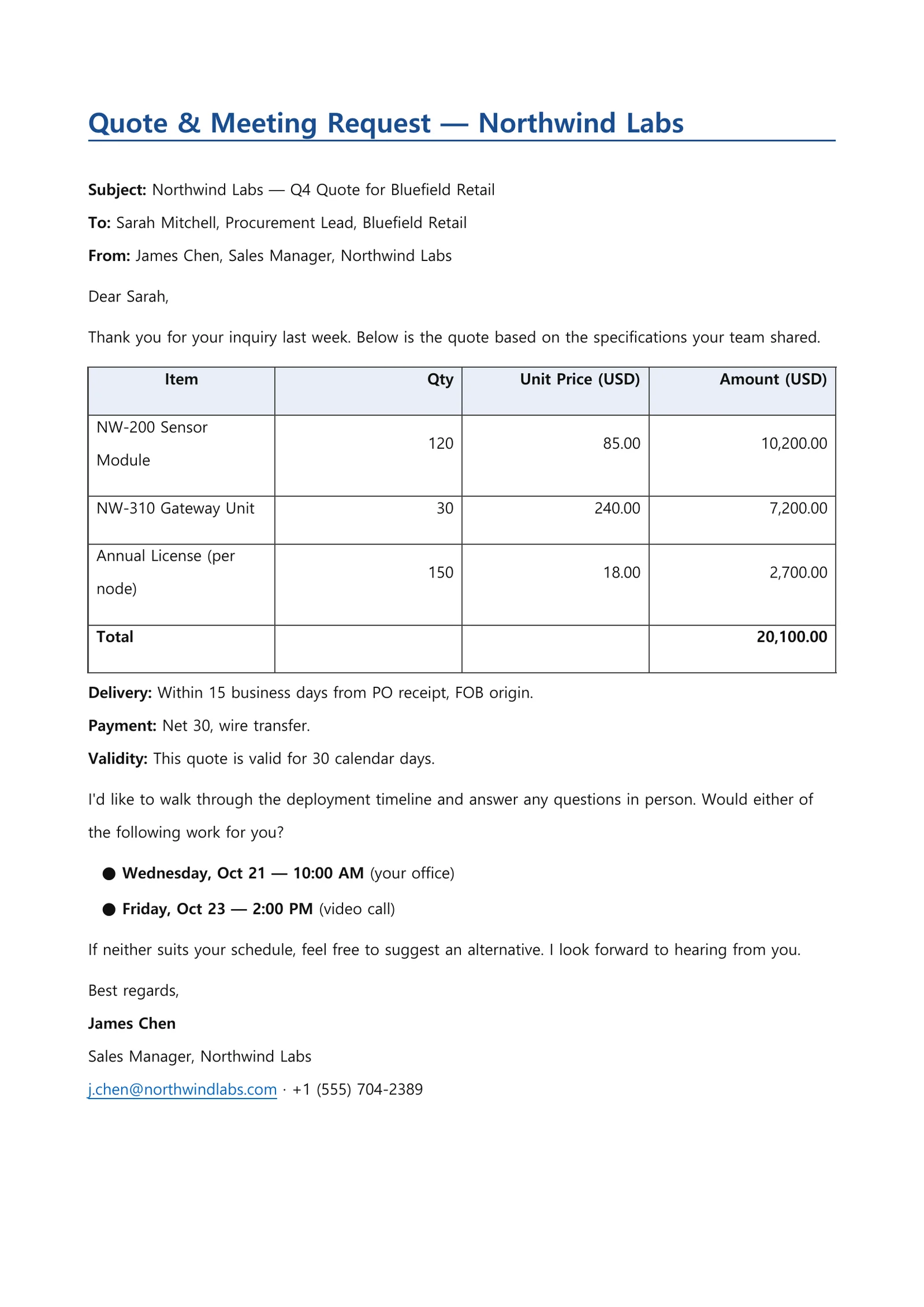
Business emails are short, but tone and a missing detail matter. Say who it is for, what it is about and why, and you get a draft from subject line to signature — with numbers such as a quote laid out in a table.
The request
“Write a polite email to a client’s procurement lead replying with our quote and asking for a meeting. Include an item/quantity/amount table, delivery and payment terms, and two meeting time options.”
Result preview
An example of what this kind of request produces — a generated file captured as is (first page for documents, opening slides for the deck). All companies, people and figures are fictional.
What you get
- A ready-to-use subject line
- A body that moves from greeting to purpose, details and close
- A table of items, quantities, unit prices and amounts with a total
- A signature block with space for name, title and contact details
How it works
- 1Write the recipient, the purpose and any numbers or dates that must be included. Paste the email you received, if any.
- 2Optionally choose a tone (formal, concise) and the output language.
- 3Review and edit the draft, then copy it into your own email app to send.
Tips for a better request
- Paste the email you received and say “reply to this” to keep the context.
- State amounts and dates exactly so no figures have to be assumed.
- Pick the output language to write to international clients.
Frequently asked questions
Is the email sent automatically?
No. The draft is shown on screen and never sent on its own. Review it, edit it, and send it yourself from your email app.
Can I change the tone?
Yes. Pick a tone in the request box options, or ask in a follow-up, for example “shorter” or “a bit warmer”.
Can it reply to an email I received?
Yes. Paste the email and describe the answer you want to give; the reply draft addresses the sender’s questions in context.
More document examples
- Weekly status reportTask table, metrics, issues and next steps — from your raw notes.
- Meeting minutesScattered meeting notes into agenda items, decisions and action items.
- Presentation slidesOne line → a fully designed slide draft as a PDF.
- WorksheetPick subject, grade and topic — get questions plus an answer key.
- Lab reportAdd your measurements — get a full report structure from objective to discussion.