Weekly status report
A weekly report has the same shape every week; the content changes. Paste what your team did and the numbers as they are, describe the order you want in one line, and you get a structured draft with headings and tables.
The request
“Write a weekly status report for our marketing team for Oct 6–10: a 3-line summary, this week's task table, a metrics table (visitors, leads, conversion) vs last week, issues, and next week's plan.”
Result preview
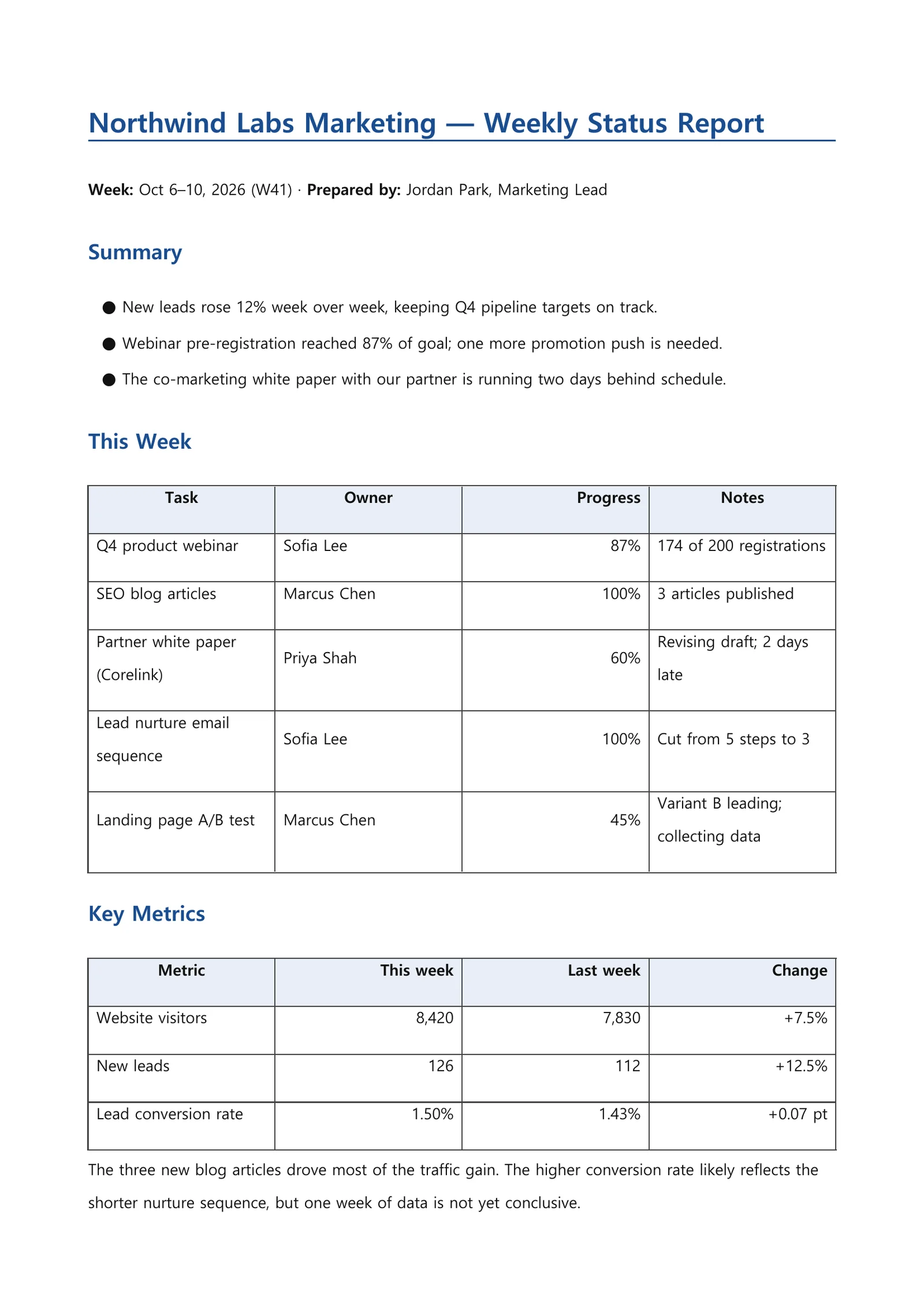
An example of what this kind of request produces — a generated file captured as is (first page for documents, opening slides for the deck). All companies, people and figures are fictional.
What you get
- A three-line summary at the top for readers in a hurry
- A task table with owner, progress and notes
- A metrics table that puts this week next to last week
- Issues, risks and next week’s plan with owners and dates
How it works
- 1Paste your notes and numbers into the request box, or attach a spreadsheet or document.
- 2Describe the sections you want in one line; optionally pick an output format (.docx, .pdf) and tone.
- 3Review the result on screen, ask for changes in a follow-up, or download the file and edit it yourself.
Tips for a better request
- Paste numbers exactly as they are. Comparisons are made from the figures you provide.
- If your team has a report template, attach it and ask to fill it in.
- Mention the reader and length, such as “for my manager, one page”, to get the right level of detail.
Frequently asked questions
Can I paste messy notes as they are?
Yes. Mixed bullet points, sentences and numbers are fine. List the sections you want in the request and the notes are grouped in that order, with tables where the data fits.
Can it follow my team’s report template?
Yes. Attach the template file (.docx, .xlsx, .pptx, .pdf and similar) and the content is filled into its fields. Without a template, a standard weekly report layout is used.
What file do I get?
You can choose an output format such as Word (.docx) or PDF in the request box options. If you don’t pick one, the result appears on screen first and you can download a file when you need it.
More document examples
- Meeting minutesScattered meeting notes into agenda items, decisions and action items.
- Presentation slidesOne line → a fully designed slide draft as a PDF.
- WorksheetPick subject, grade and topic — get questions plus an answer key.
- Business emailOne line about the situation → subject, body, table and signature.
- Lab reportAdd your measurements — get a full report structure from objective to discussion.