Worksheet
Writing fresh questions for every lesson takes time. Set the subject, grade, topic and number of questions, and you get questions pitched at that grade level, with answers and explanations on a separate page.
The request
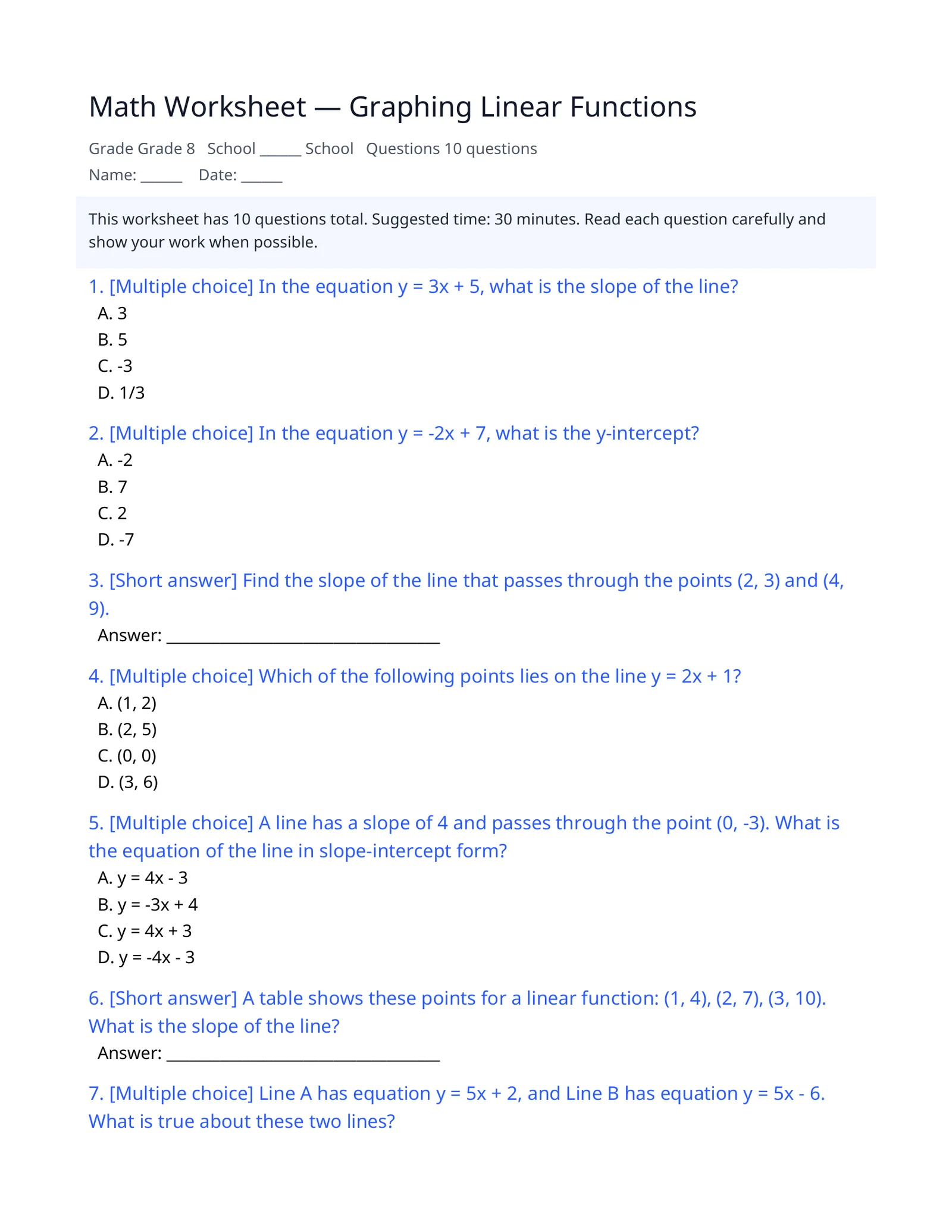
“Grade 8 math worksheet on graphing linear functions — 10 questions, multiple choice and short answer, with an answer key”
Result preview
An example of what this kind of request produces — a generated file captured as is (first page for documents, opening slides for the deck). All companies, people and figures are fictional.
What you get
- A printable worksheet with name and date fields
- Questions in the types you choose: multiple choice, short answer, essay
- A question mix matched to the difficulty you pick (easy, medium, hard)
- A separate answer key with explanations for grading
How it works
- 1In the worksheet tool, choose the subject and grade and enter a topic.
- 2Set the number of questions, question types, difficulty and whether to include an answer key.
- 3Check the worksheet and answer key, then download them as PDF.
Tips for a better request
- Use the textbook unit title as the topic to keep the scope precise.
- Add a reading passage or class notes as reference material to base the questions on it.
- Start with around 10 questions, then adjust the difficulty.
Frequently asked questions
Does it include answers and explanations?
Yes. With “include answer key” turned on, a separate answer and explanation page is created, so you can print student and teacher copies separately.
Which question types can I choose?
Multiple choice, short answer and essay — pick one or more — and set the number of questions and the difficulty.
Can I use the questions in a test as they are?
They are AI-generated, so review answers and wording before using them in an assessment. You can regenerate with different settings if a question doesn’t fit.
More document examples
- Weekly status reportTask table, metrics, issues and next steps — from your raw notes.
- Meeting minutesScattered meeting notes into agenda items, decisions and action items.
- Presentation slidesOne line → a fully designed slide draft as a PDF.
- Business emailOne line about the situation → subject, body, table and signature.
- Lab reportAdd your measurements — get a full report structure from objective to discussion.