Easy to read, easy to edit —
your PDF program
A compact window with just the tools you need. Viewing, editing, annotation, conversion and document security in one place — and every file is processed on your own PC.
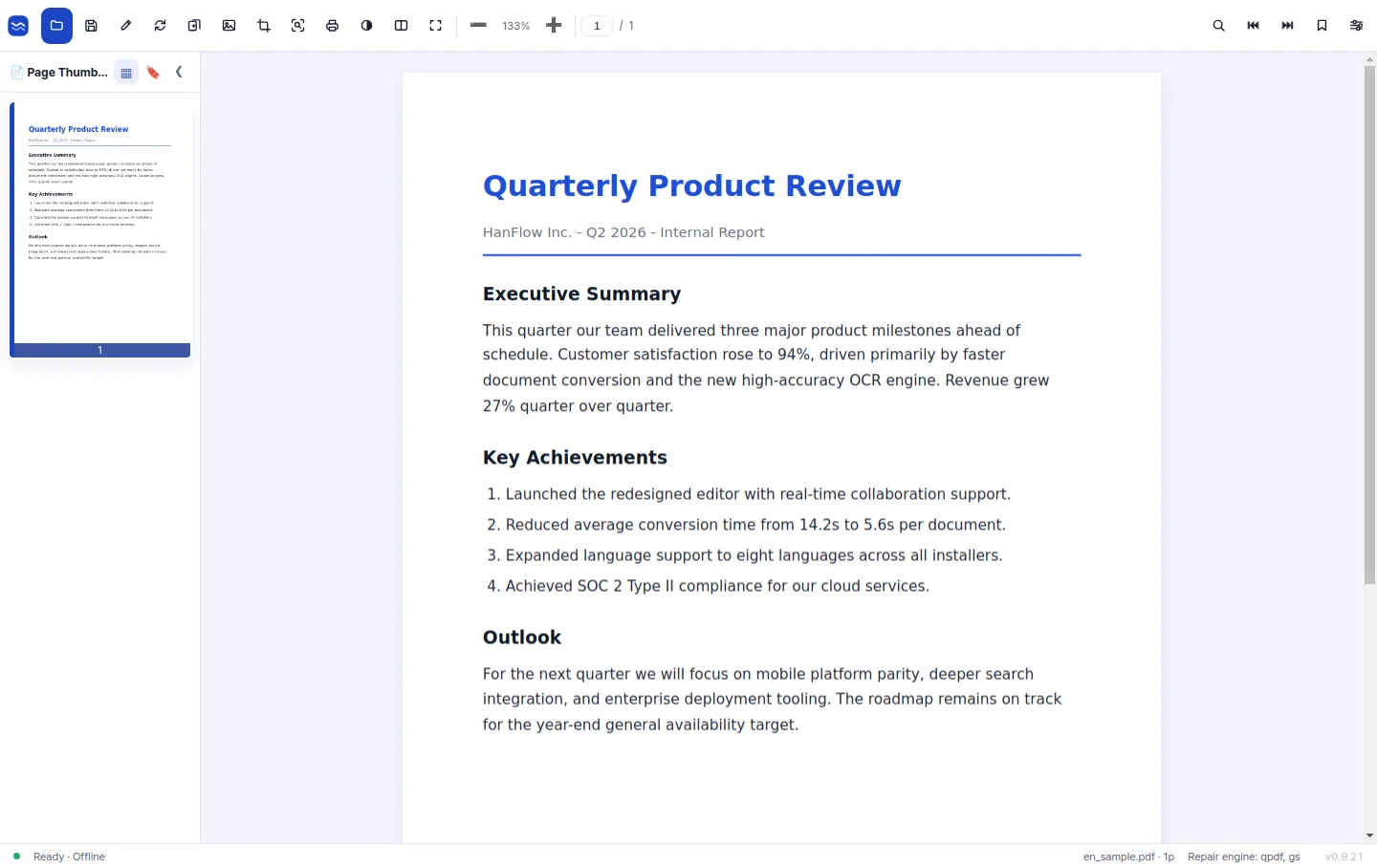
Everything a PDF really needs, in one window
Reading, editing and converting — without switching between programs.
Comfortable viewing
Tabs, page thumbnails and multiple windows let you keep several documents open and move between them without losing your place.
Edit text and annotate
Correct or add body text in place, then mark it up with highlighter, pen, shapes and images. Saving writes straight back to the original file.
Word · PPT · HTML conversion
Turn a PDF into an editable Word, PowerPoint, HWP or HTML file — or into plain text and page images.
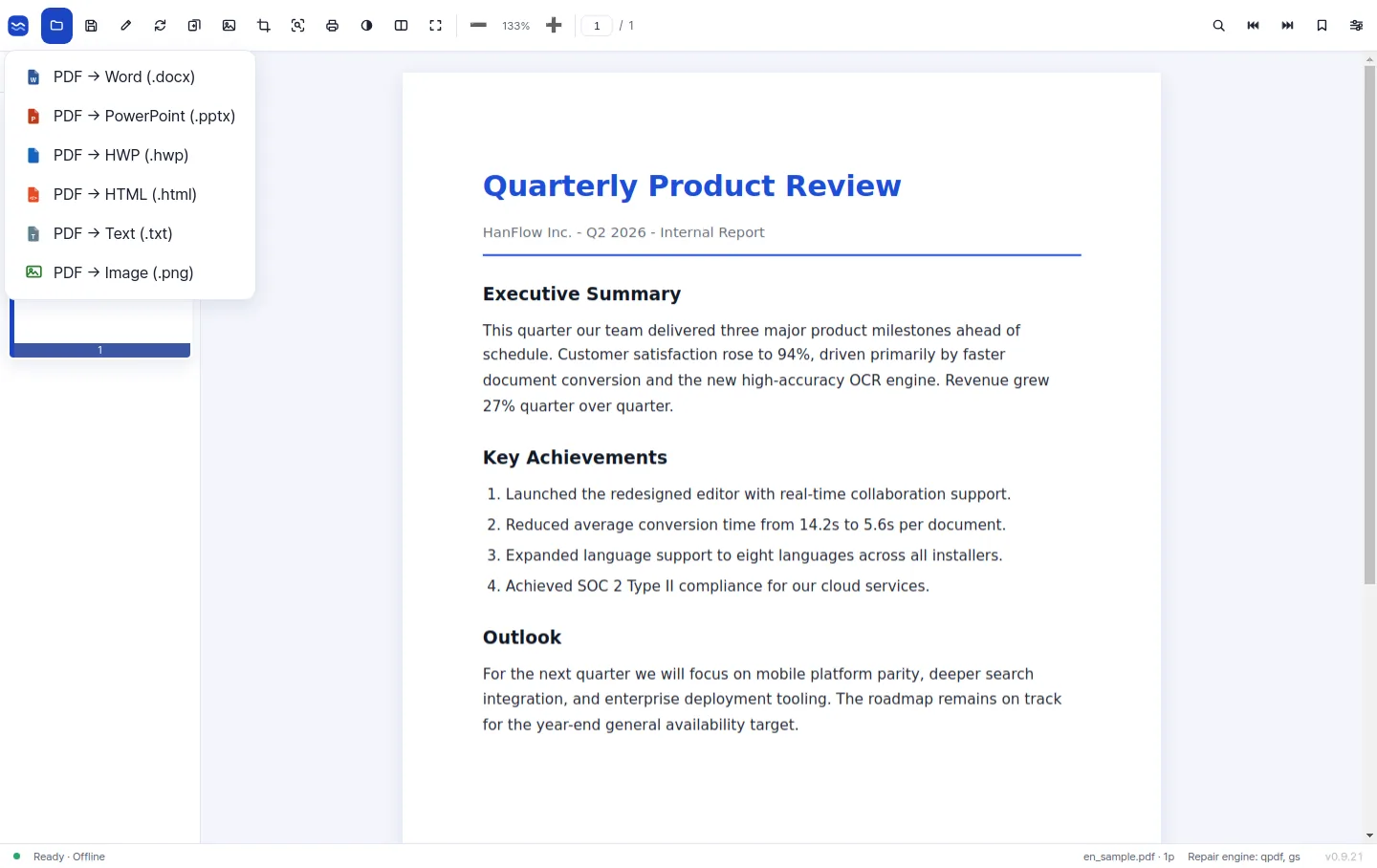
Conversion
From one PDF to every format you need
Open the export menu and pick a format. The conversion engine is built in-house and runs locally, so layout, tables and HWP documents survive the trip — and nothing is uploaded to a server.
- · PDF → Word (.docx) · PowerPoint (.pptx)
- · PDF → HWP · HTML · text · image
- · Drag in a Word, image or HTML file and it opens as a PDF
Scans, page order and document security
The work that usually needs a second tool is already here.
High-accuracy OCR (add-on)
Scanned pages and photos of documents become searchable, selectable text. Install the OCR pack when you need it.
Merge, split and organize pages
Combine or split documents and reorder, rotate or delete pages — and drag pages in from another open PDF.
Security and signatures
AES-256 passwords, printing, copying and editing permissions, and signatures you draw with the mouse or insert as a stamp image.
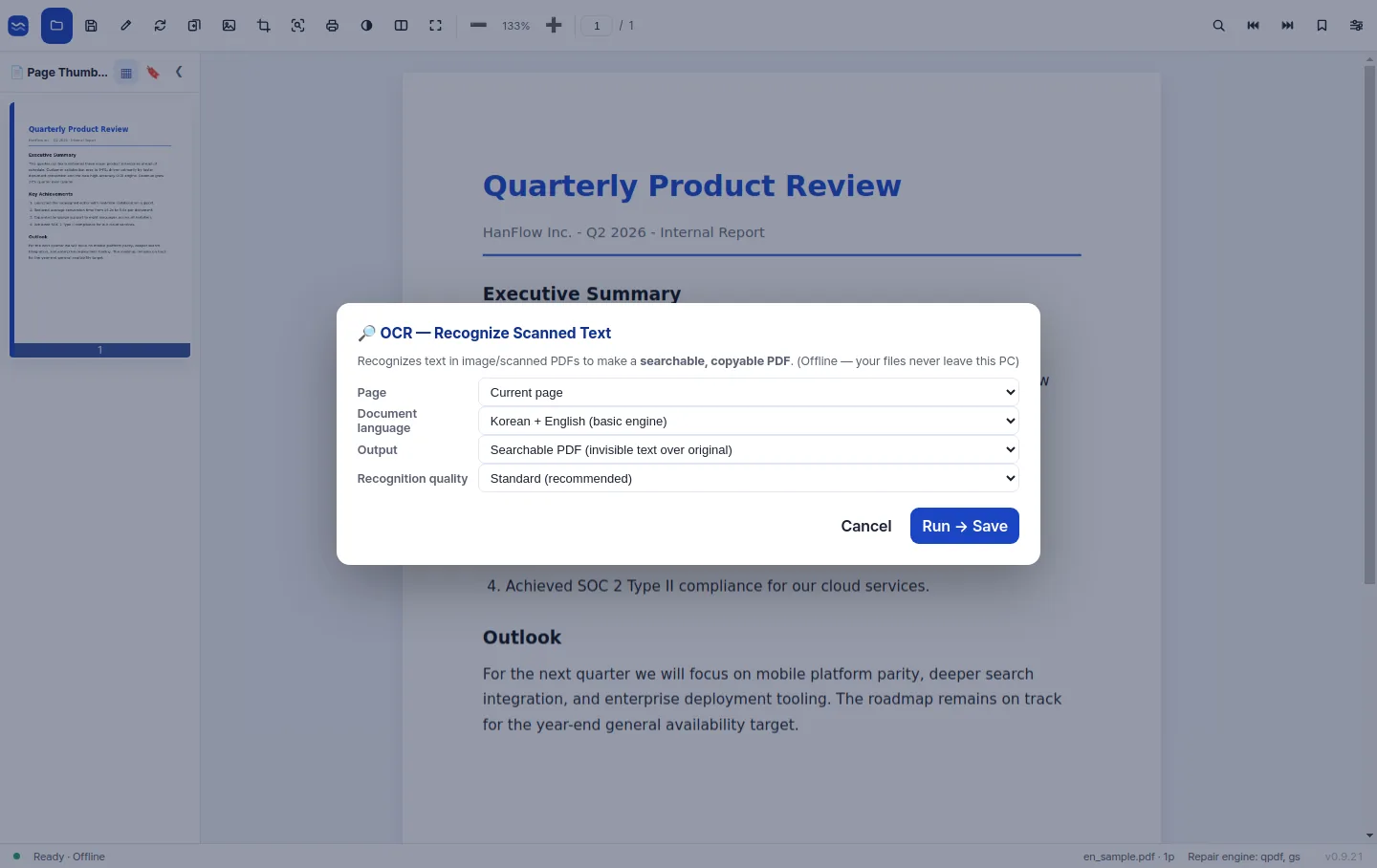
OCR
Scanned pages become searchable text
Documents that arrived as scans or photos are recognized page by page, so you can search, select and copy the text — and convert the file like any other PDF.
- · Search and select text inside a scan
- · Recognition runs on your PC — nothing is uploaded
- · Optional add-on pack, installed when you need it
Free to start, Pro when you need it
The core features are free for personal use. Pro is sold as an annual or perpetual licence — a one-time payment, not a subscription — with volume pricing for teams and organizations.
Downloads, purchases and 1:1 support are handled on the product site: hanflowpdf.com